
Your entire company, on iPhone, iPad and Android™.
CRM, texting and calling from your business line, social posts, scheduling, campaigns, invoices, events, deal underwriting, and your capital raise. Built native for iPhone, iPad, and Android: the same workspace, the same permissions, the same numbers, in your pocket and on the big screen.

Every CRM has a phone app. Almost all of them are the lite version: view your contacts, log a note, told to “open the desktop site” for anything real. This one refuses the limits: if your workspace can do it, the app carries it, and it signs straight into the same workspace you use on the web.
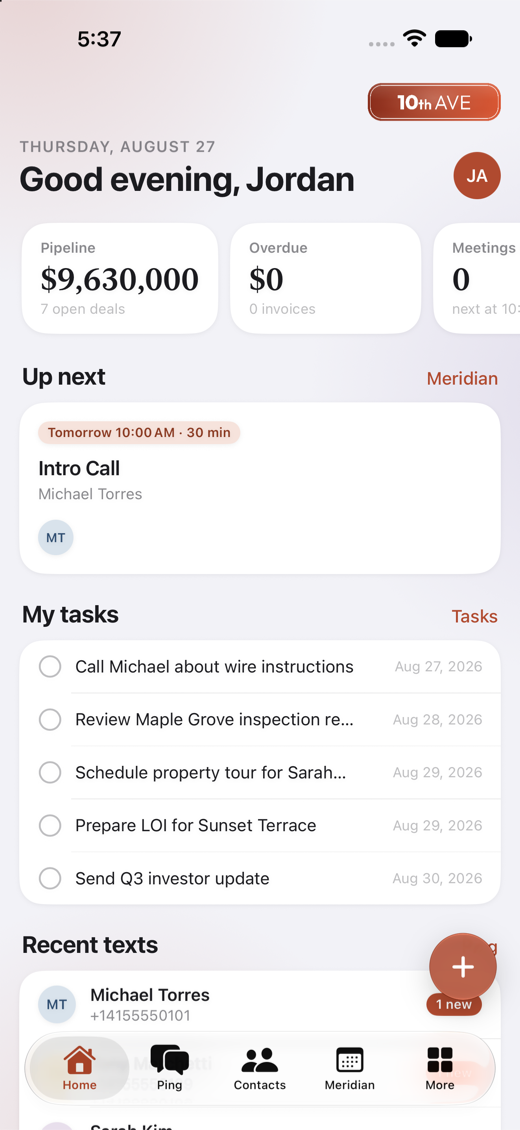
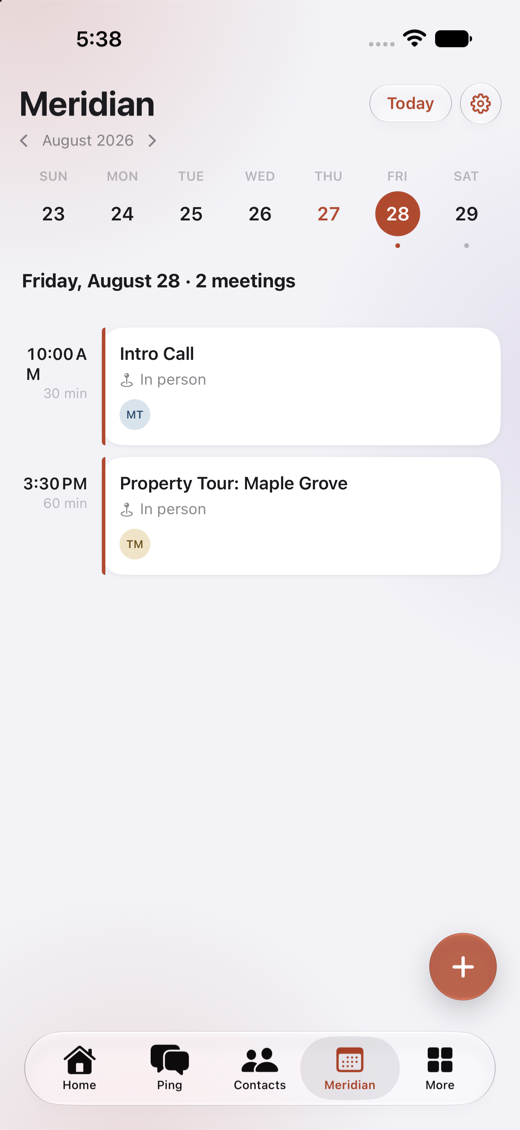
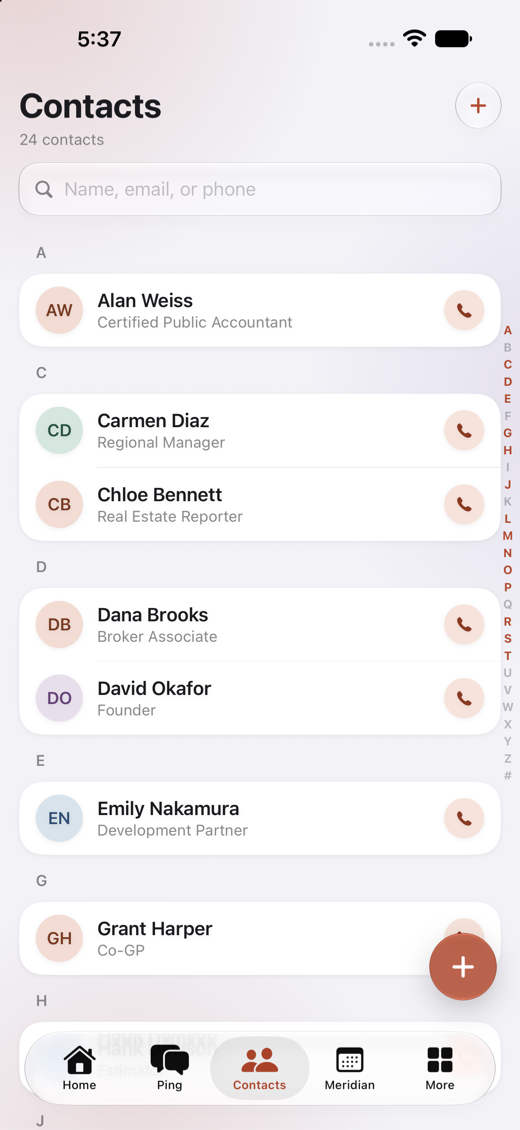
Straight off the devices: these are the screens we sent Apple, not renders.
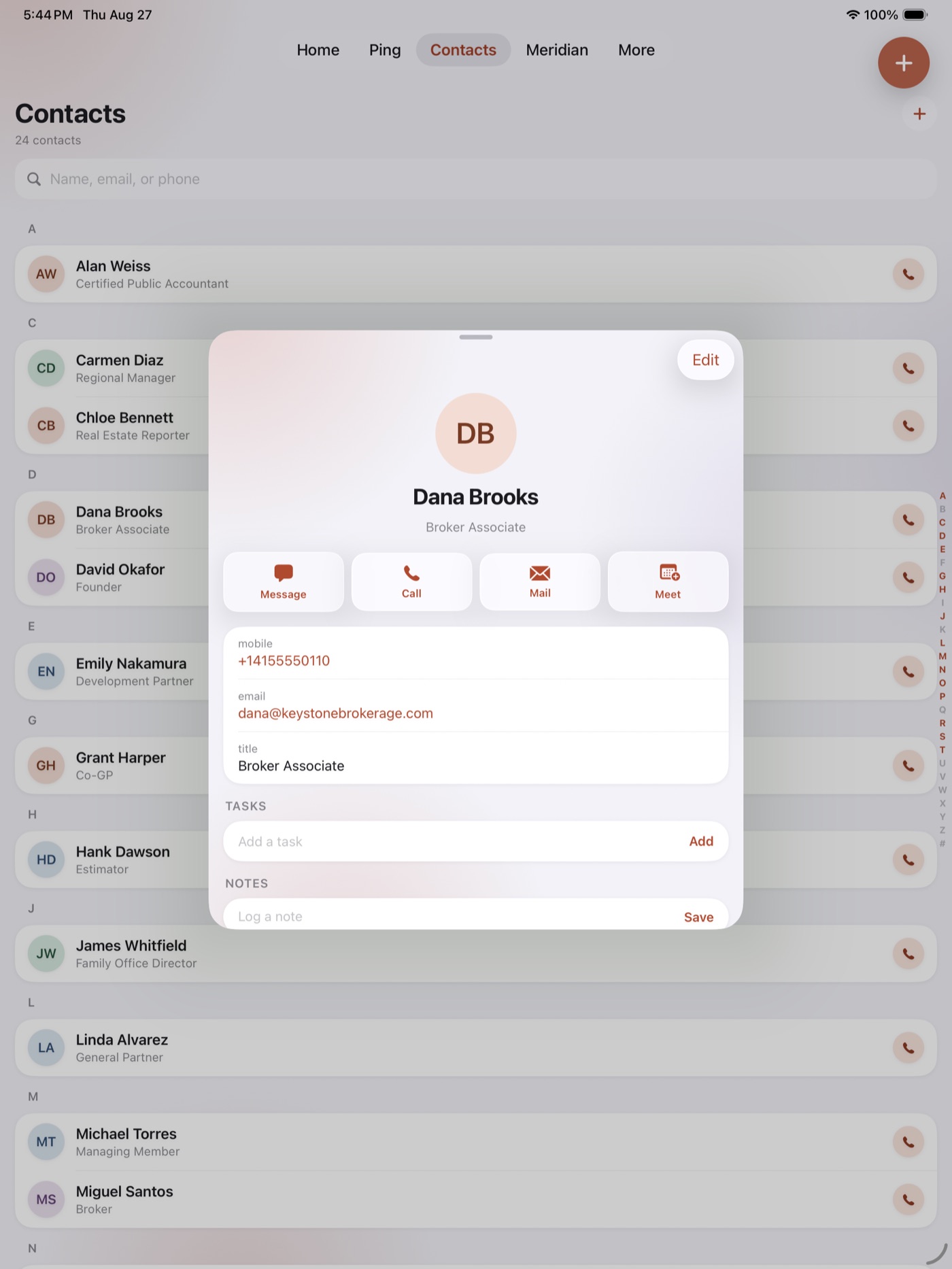
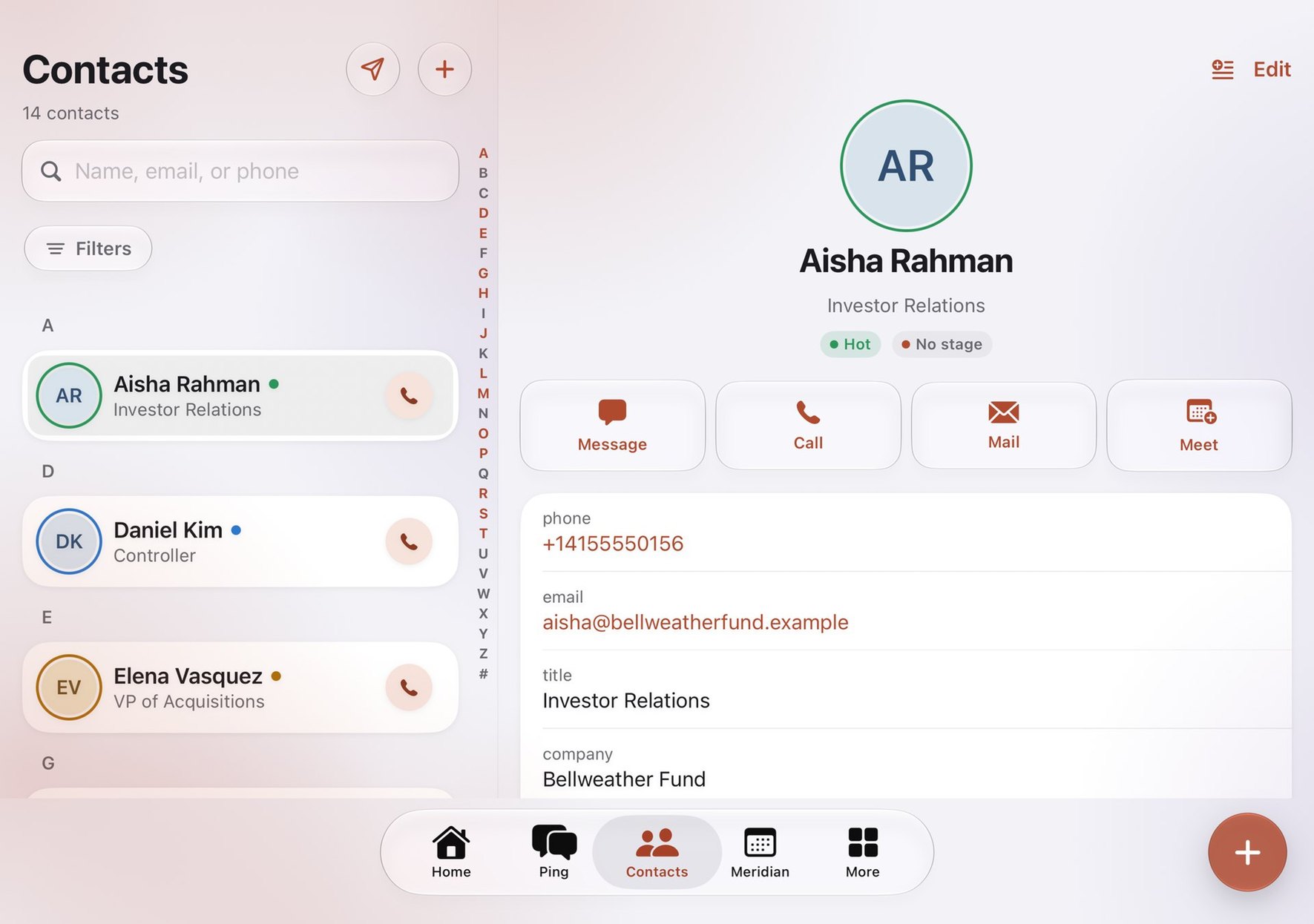
A real iPad app, not a stretched phone.
On an iPad the app lays itself out for the screen: your contacts, companies, investors and texts sit beside the record you open, pages keep a readable width instead of running edge to edge, and the Meridian hub sets its cards side by side. In Split View or Slide Over, a narrow window keeps the phone layout, so nothing is ever squeezed.
The same company on Android.
The Android app carries the same workspace, permissions and numbers: texting and calling on your business line, Socialize, Meridian, Caliper and the raise. It runs on Android 14 and up.
Made for iPhone Duo.
Open the iPhone Duo flat and your list and the record you pick sit side by side, the way they do on iPad. Hold it half open like a book and the fold becomes the divider, the list on one side and the record on the other, with nothing you need to press on the crease. Hold it like a laptop and they stack, the list above and the record below. Closed, it is the phone app, with its tabs down the side.
The phone app that is not the lite version.
We built the platform mobile-first on the web, then built the native app for what a browser cannot do: push, CallKit, widgets, your caller ID. Nothing got left behind, and on the 13-inch iPad it stops being a phone app and starts being a desk.
Look up a contact. Log a call by hand. A read-only chart. “For that, open the desktop site.”
Take the call on your business line, watch the deal move, send the booking link, play the voicemail, read the underwriting, all before your coffee order is ready.
All of it, laid out.
Eighteen answers to “but can the app…”. Yes.
A Home screen you compose
Pipeline, overdue invoices, next meetings, texts, calls, upcoming events, live CRM activity, your saved dashboards, and the raise pipeline. Every card and section toggles per person; your Monday phone is not your assistant’s.
Ping: the whole phone line
Two-way texting from your business number, the full call log with contact names, and voicemail you can play in place, transcripts included. Your workspace numbers sit right on top.
Real calling, not a dialer skin
Calls ring natively with CallKit, your CRM caller ID names the person before you answer, and missed calls land as push notifications with the voicemail attached.
Meridian scheduling
See bookings, schedule meetings into genuinely open slots, cancel with full cleanup, and share any booking-page link straight into iMessage, Mail, or AirDrop from the create button.
AI prep briefs, automatic
Flip one switch and an hour before each meeting the host gets a brief built from the guest’s entire history and your connected emails. Uses your workspace’s TAC and says so.
Contacts and companies, complete
Every custom field your workspace defines shows on the record and in the create sheets. Link a company or create one inline. Headshots, notes, tasks, and full activity timelines.
Deals, tasks, and lists
Work the pipeline, check off tasks, and build smart lists on the phone with the same filter language the web uses, including your custom fields.
Socialize in your pocket
Write a post for several accounts at once with pictures from your library and the Guard checking it as you type, then send it for approval, schedule it, or post it now. Approve a teammate’s post, answer a comment or a direct message, and see what each post brought.
Batch email from your own mailbox
Pick up to 50 people in Contacts and write once: each gets their own email from your connected Outlook mailbox, with merge fields, a preview of every email, and a report of who replied. Gmail is coming soon.
Megaphone results
Every campaign’s funnel, delivered, opened, clicked, bounced, with the actual email preview. Compose on the web; read the results anywhere.
Caliper deal dashboards
Returns, coverage, how the money is spent, profit by year, and the exit, computed server-side by the same engine as the web, never re-derived on the phone. Plus the Education section with plain-words lessons.
Invoices and money
Collect invoices with status, overdue drill-downs from Home, and the day’s money at a glance.
Events and webinars
Rosters, registrations, and webinar presenter invites with Zoom sending the personal links.
Investors and the raise
The TenthYards raise pipeline, commitments, and investor records ride along wherever the road takes you.
A widget that says what it is
On iPhone and iPad, the home-screen widget shows upcoming meetings, events, or open tasks, long-press to choose, and tapping it opens that exact section of the app.
Notifications you curate
Texts and calls, bookings, payments, reminders: each category has its own switch, per device, and the server simply stops sending what you mute.
A dock you arrange
Pick which four modules sit on the bottom bar. Everything else lives one tap away in More, sorted alphabetically, with screens opening instantly from an on-device cache.
Security that matches the web
The same two-factor system, the same tenant isolation, and admins can see and revoke any signed-in phone from workspace security settings.
Free on the App Store for iPhone and iPad, and on Google Play for Android. Sign in with the account you use on the web, or start free on the web today and the app opens straight into your new workspace.